Your money, in order.

RollingCoin reads the statements your bank already gives you, recognizes who you paid and sorts every payment into your own categories. One look at the dashboard tells you what you spend, what is coming and what you have - and all of it stays on your computer.

Get it from the Microsoft Store Read the User Guide

Free. Windows 10 and 11. No account, no subscription, no ads.

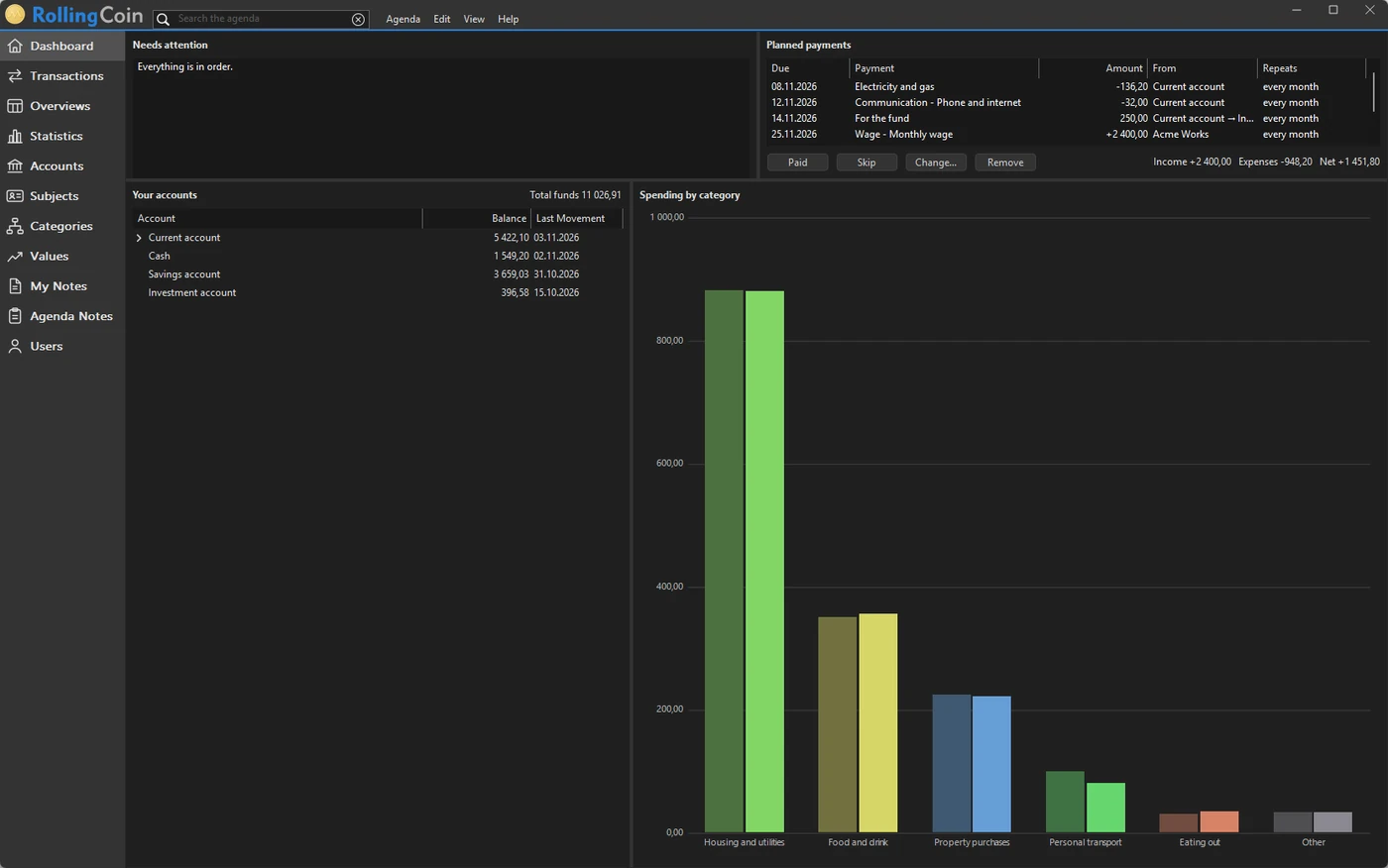
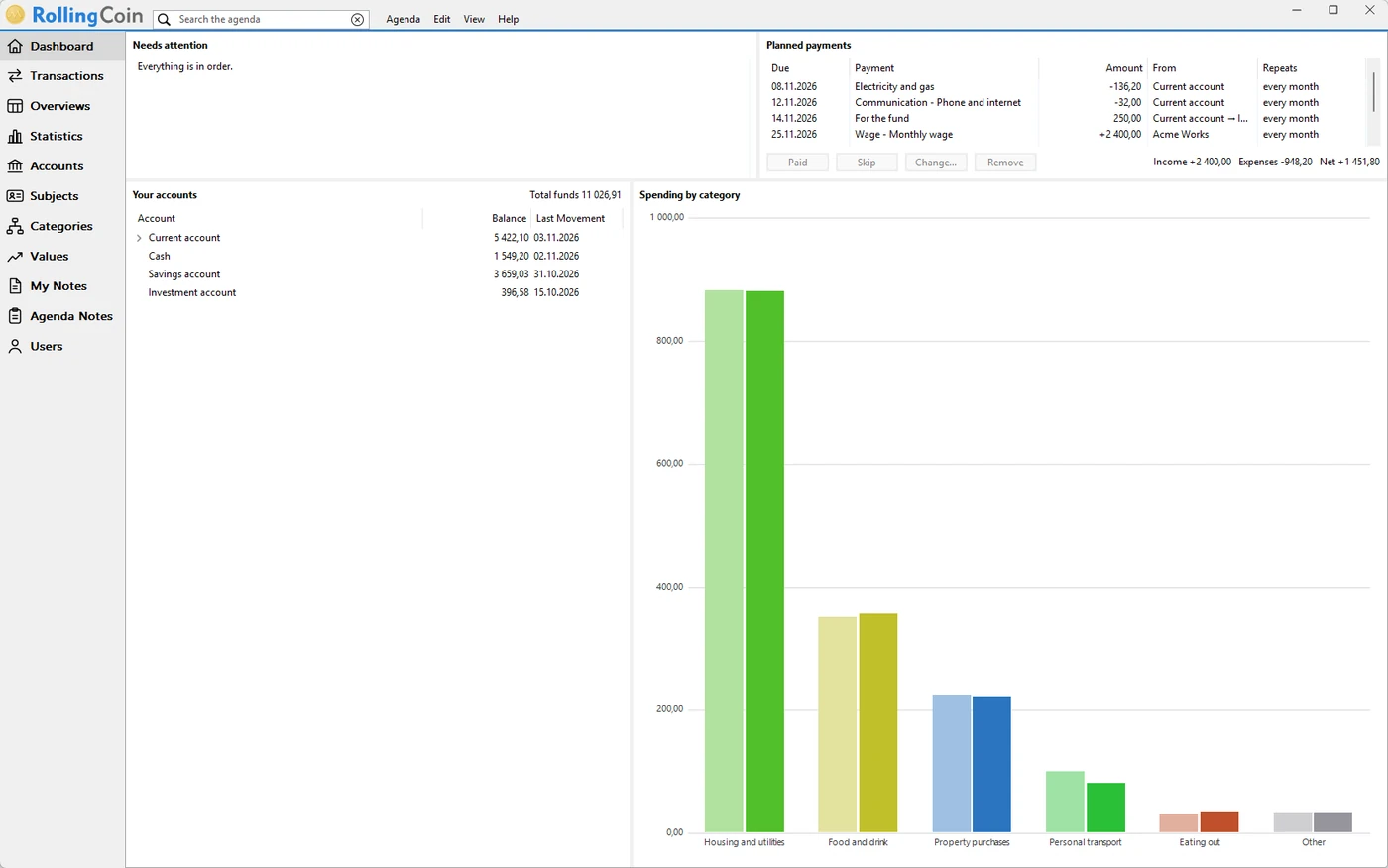
The RollingCoin dashboard: what needs attention, the payments planned, the balances of the accounts and the month's spending by category

What it gives you

A money program is worth it only if it saves more time than it takes. RollingCoin does the copying and the sorting of your household budget, and leaves you what matters: knowing, and deciding.

Minutes a month instead of evenings

Import last month's statement and the payments are already in place: who you paid, what for and from which account. Thousands of shops and services are recognized from the start; the rest you teach once, and it remembers.

You finally see where it goes

Spending by category and by month, what the car or the flat really costs, what was left at the end of the year. The questions you never had the time to work out are one click away.

No unpleasant surprises

The dashboard shows what needs your attention, which payments are due in the days to come and what your accounts stand at, and it warns you before one of them runs short. The rent, the energy bill and the insurance are in sight before they go out.

Your data stays yours

An agenda is one encrypted file on your own computer, protected by a password if you set one and backed up where you say. No account to create, no server, no ads, nothing uploaded - and all of it can be exported whenever you like.

For the whole household

Several people can keep one agenda, each under their own name, with rights that decide who may only look. Cash comes in from the phone, and shares, funds and the flat stand beside the accounts.

Your way, not a template's

Accounts, categories and subjects are trees you shape yourself - a few branches or a great many. Move a branch and its transactions move with it; a shop you stopped going to never has to be deleted.

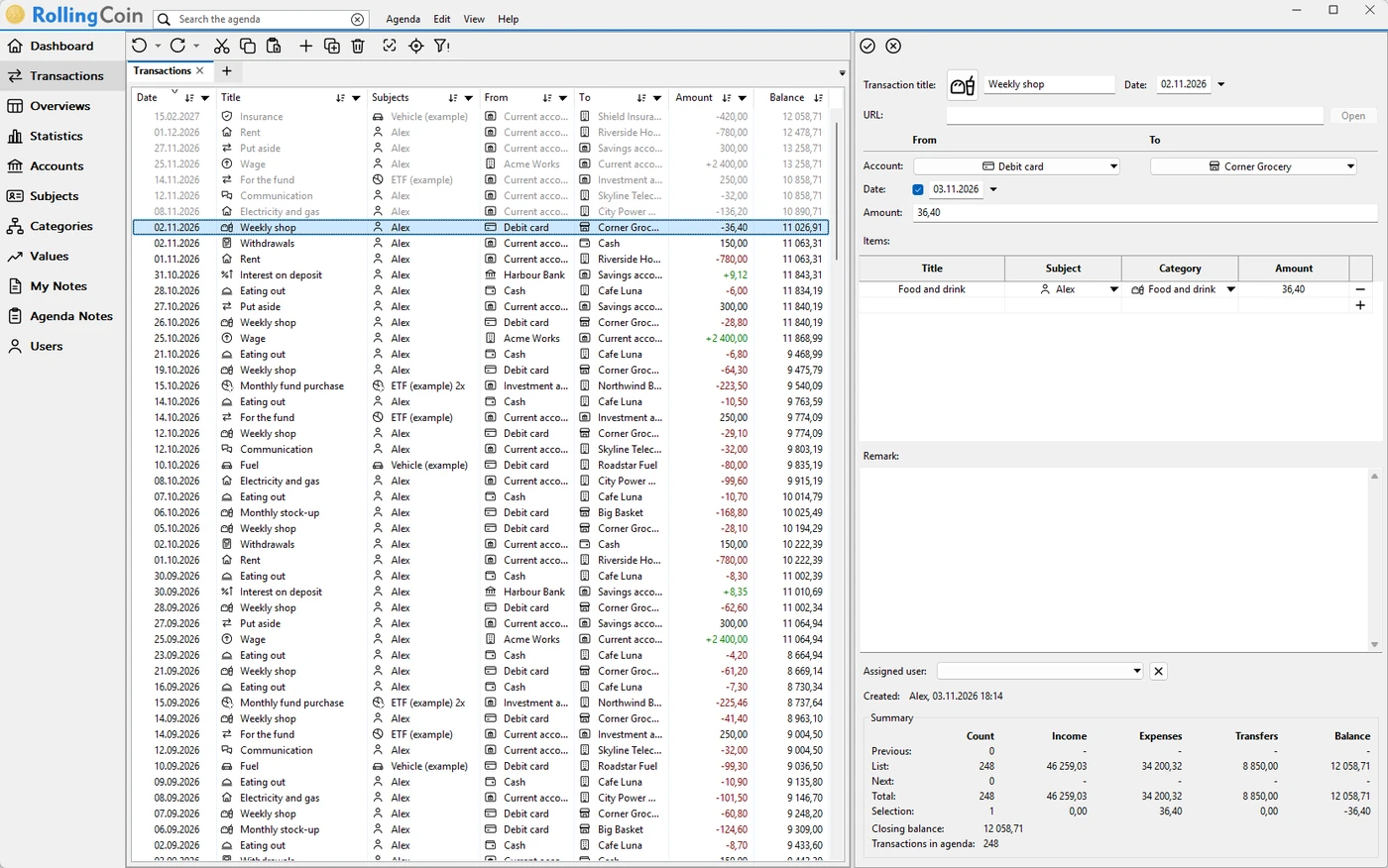
The list of transactions with a weekly shop selected: from the debit card to the grocer, in the category Food and drink

Statements in, order out

Every payment in its place

Statements come in as your bank exports them - CSV, XLSX, PDF, HTML or ODS, in the notation of any bank - or straight from a folder you save them into. Every line becomes a transaction on the right account, with the shop, the category and the person it was for.

A receipt shared by several people splits into its items, a move between your own accounts stays a transfer, and a payment you planned is paired with the statement line that paid it. The balance after every line stands beside it, so a mistake has nowhere to hide.

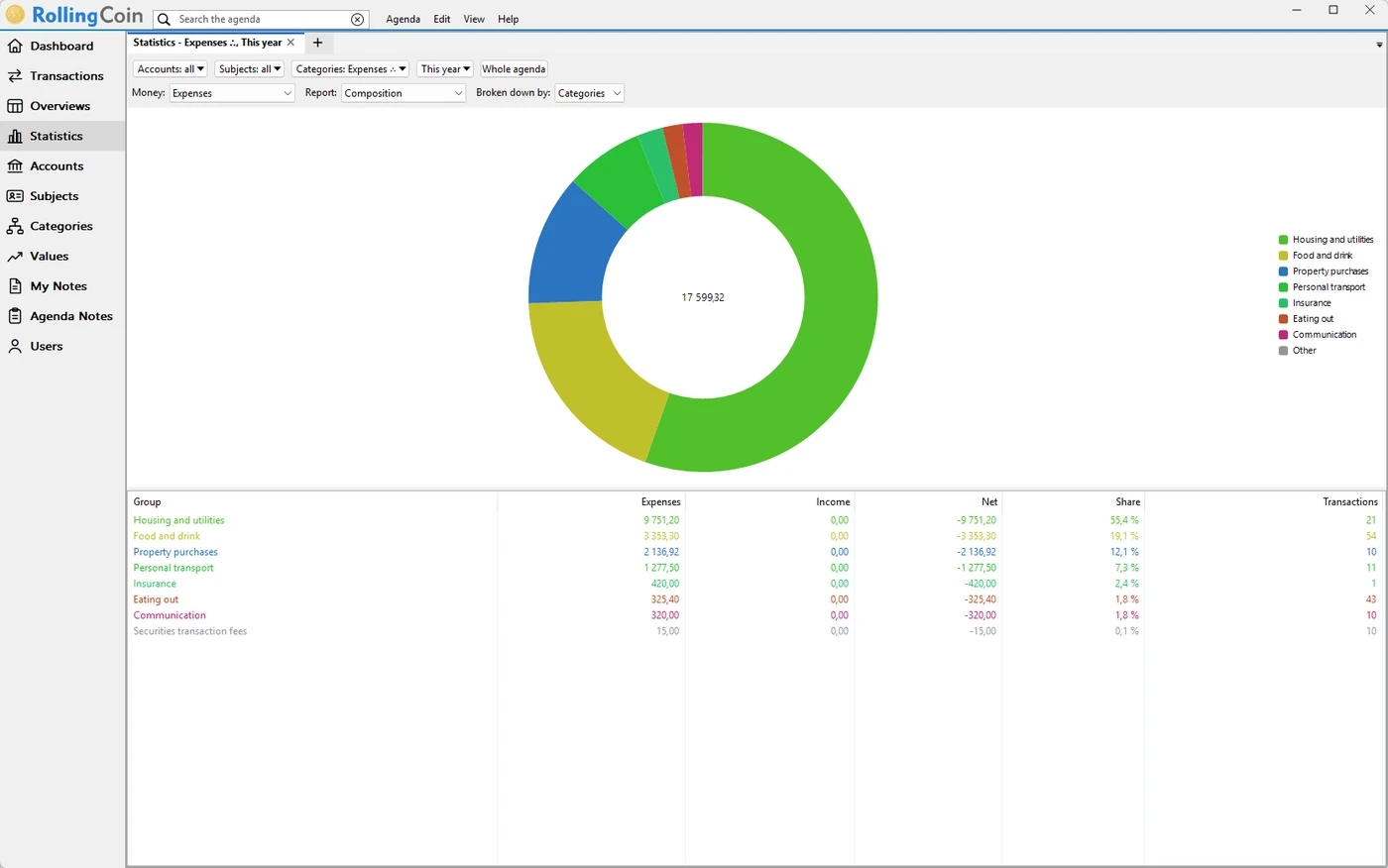
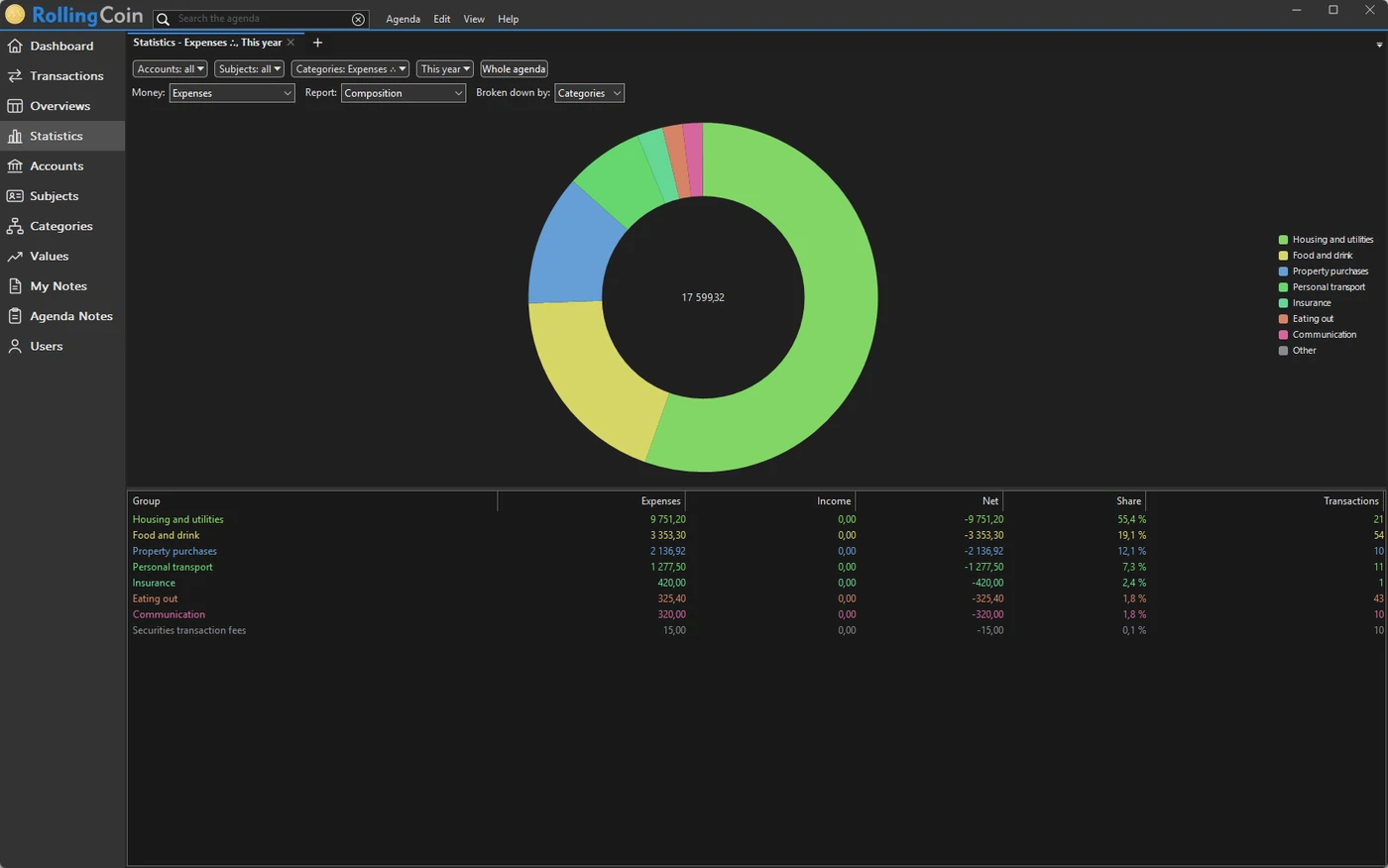
This year's expenses by category as a ring chart, with each category's amount and share beside it

Statistics

Where the money goes

The year's expenses at a glance: each category's share of the whole, the total in the middle, and beside the chart the amount, the share and the number of transactions of every category. A click on a category steps into it, down to what it is made of.

The same question by account or by subject: what the car costs, what the flat costs, what each member of the household spends.

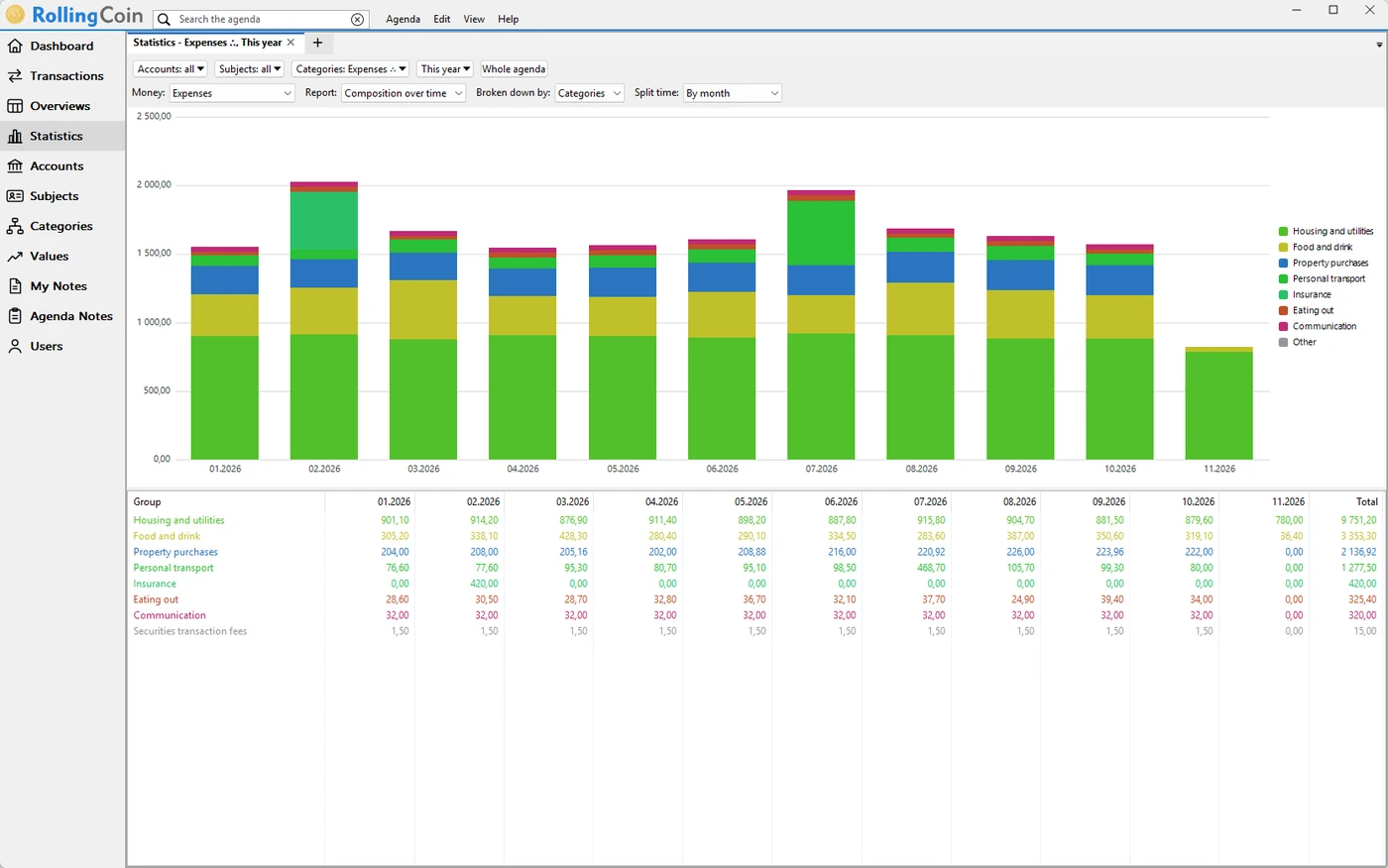
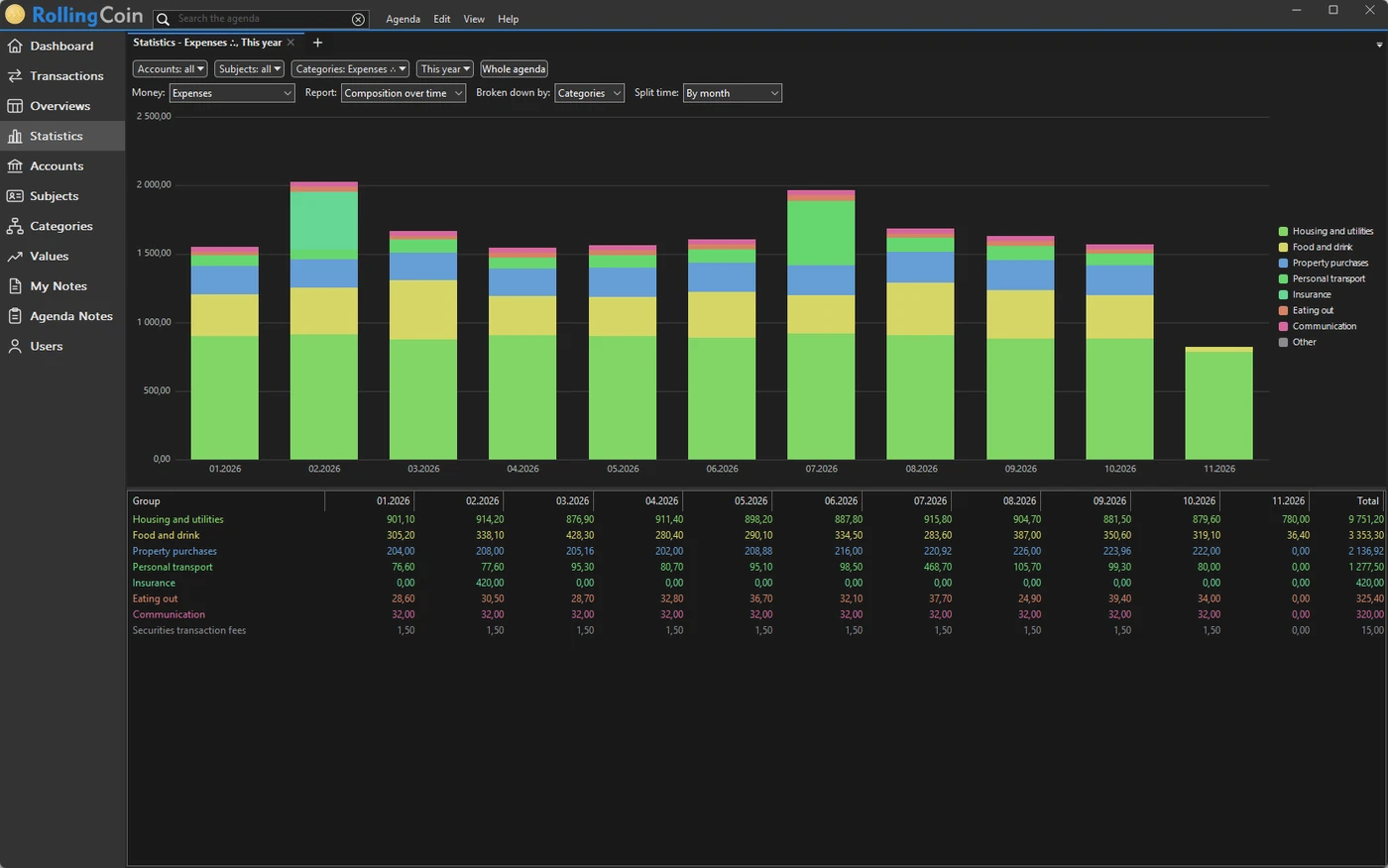
This year's expenses by category and month, as a stacked chart and a table

Over time

Month by month

Which month cost the most, and why: the expenses stacked by category, month after month, with the table of the figures beneath. Expenses, income or the net, by month or by year, over the period you pick.

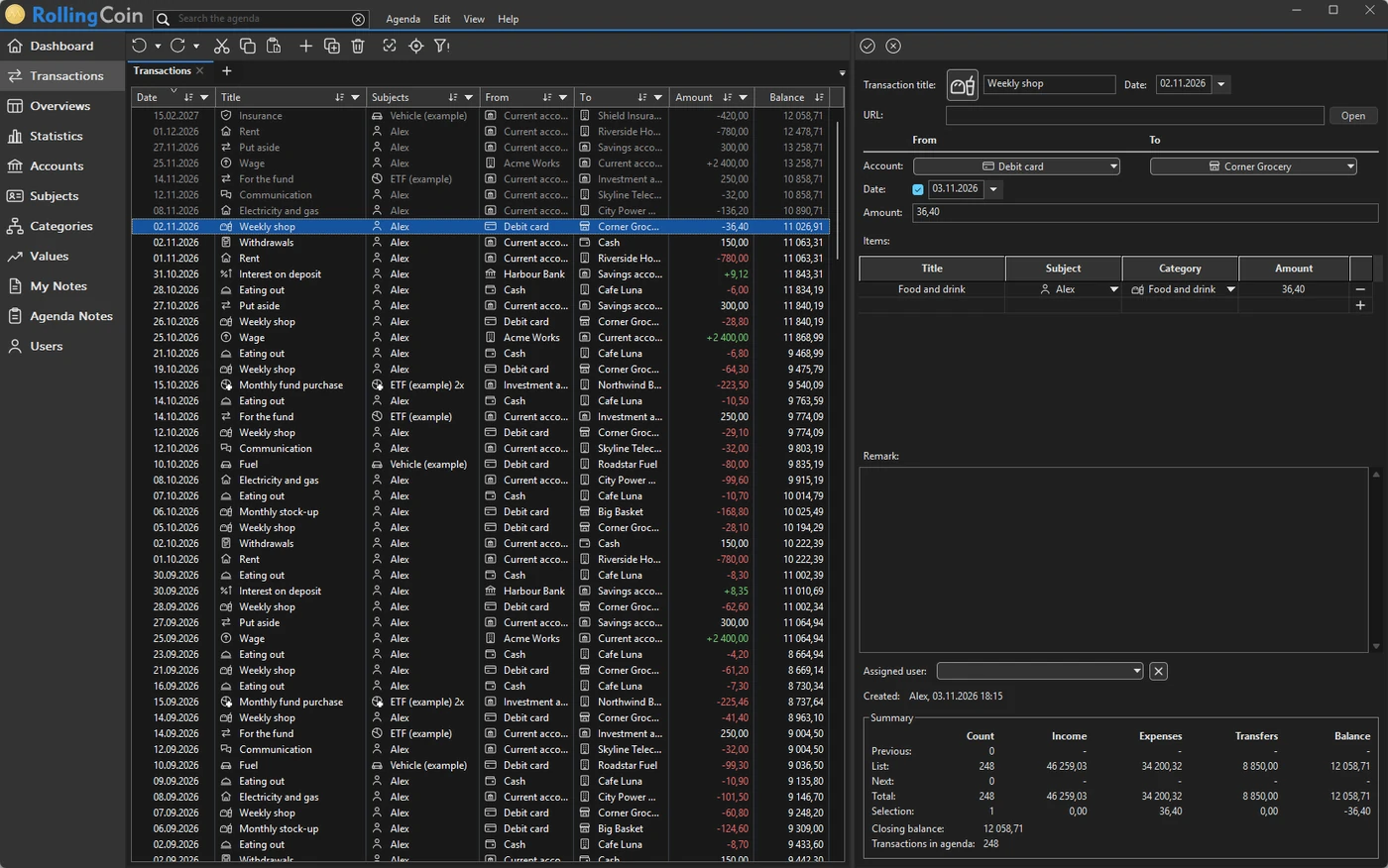
Ranking, one period against another, a calendar of spending - and every chart in the light look or the dark, as your Windows is set, or in the classic look of X5 for anyone who grew used to it.

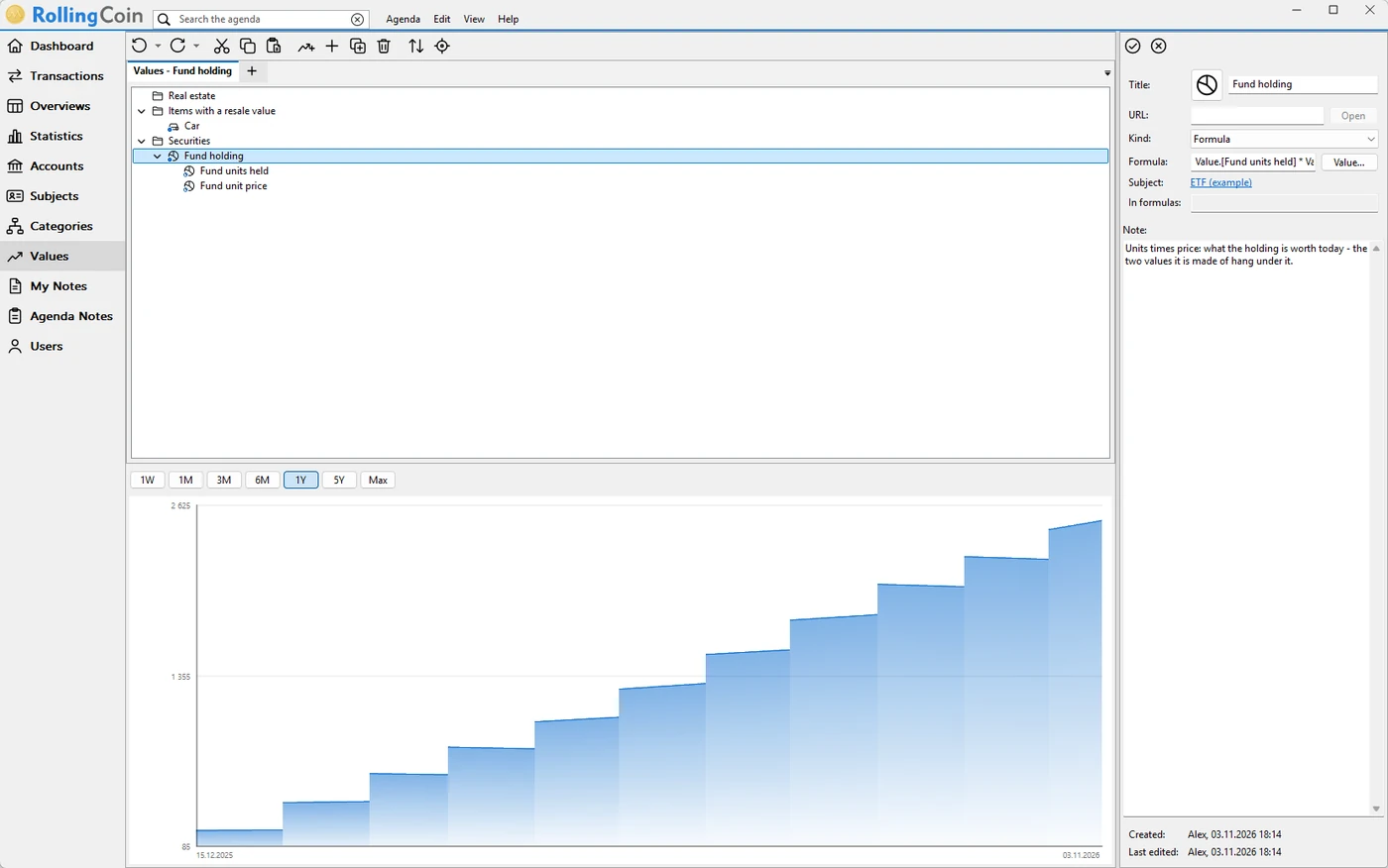
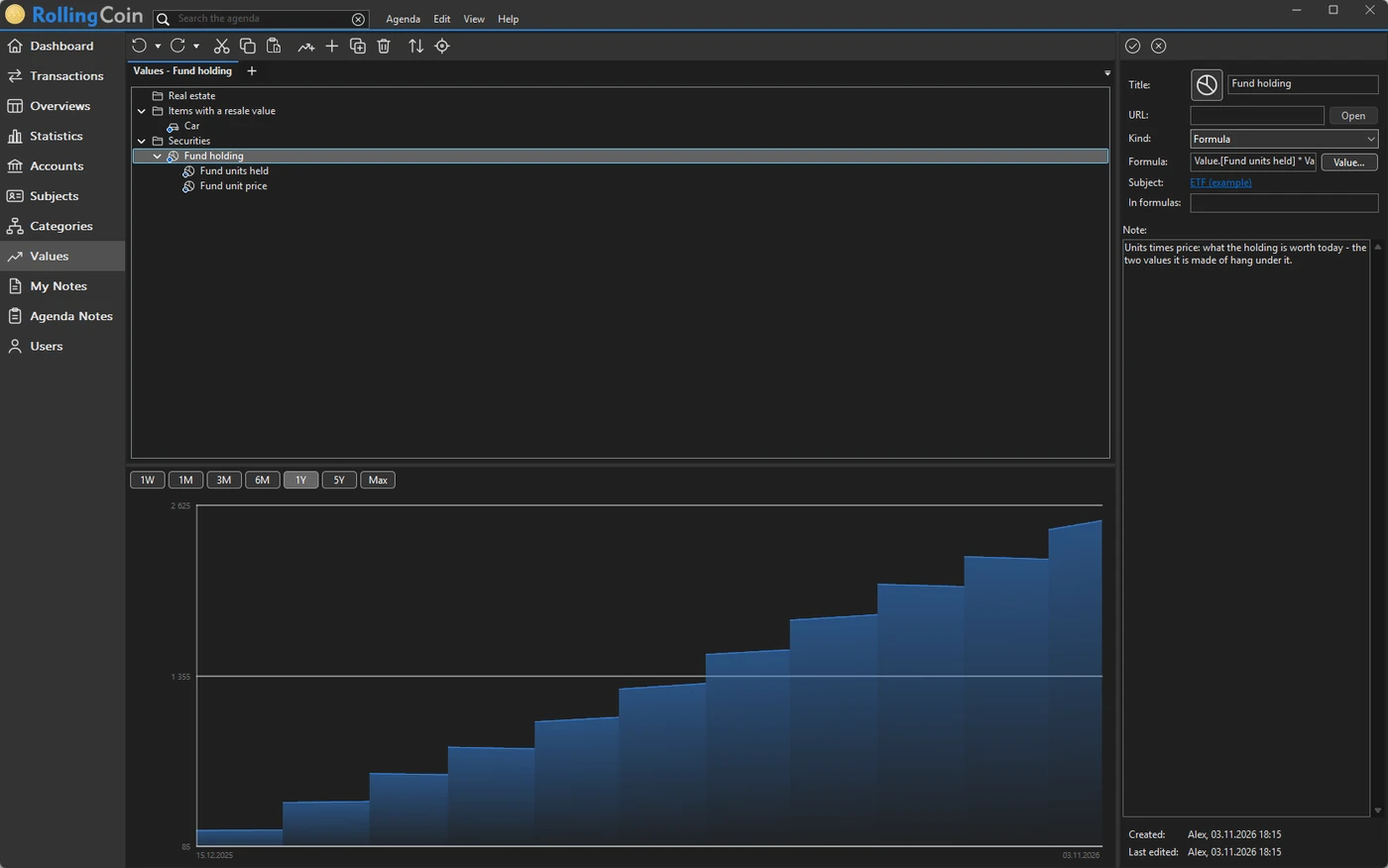
The value of a fund holding over a year: units bought every month, times the price
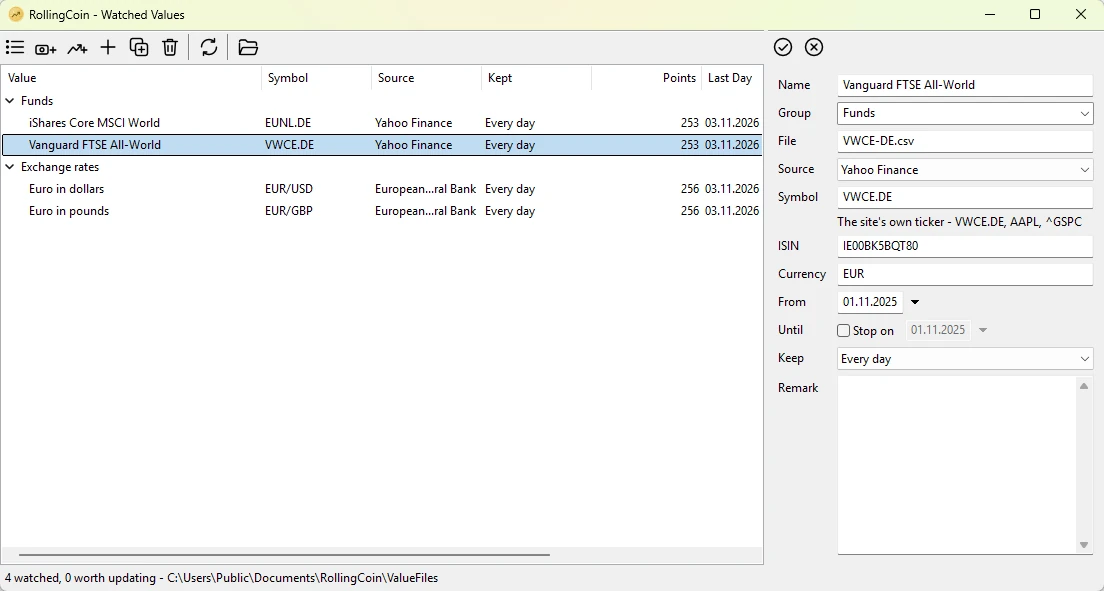
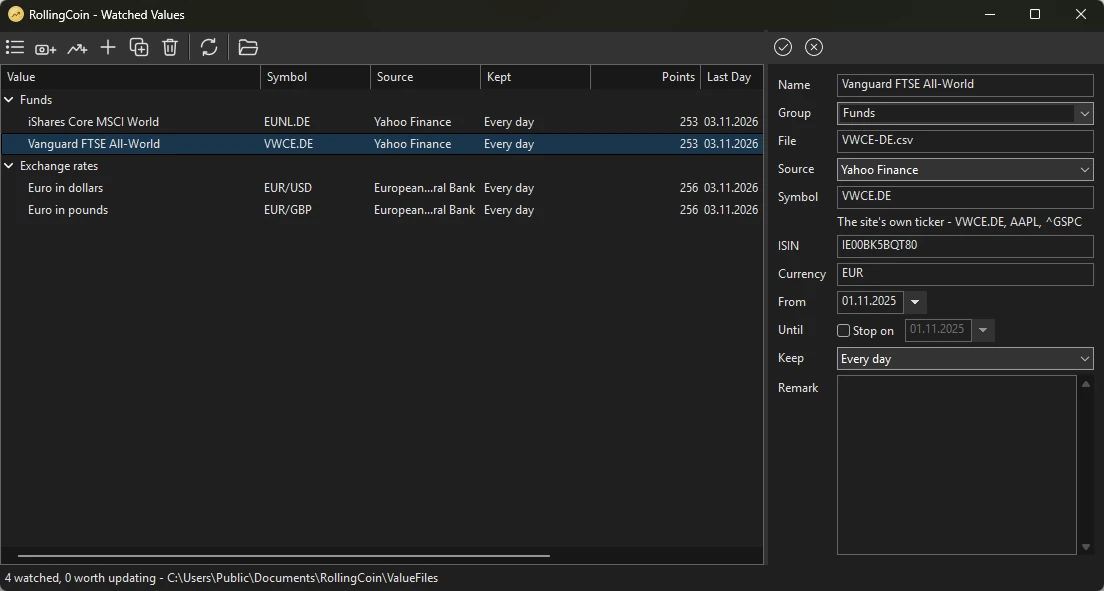
RollingCoin - Watched Values, with the funds and exchange rates it downloads

Investments and property

What you own, not only what you spent

Shares, funds, the car and the flat stand beside your accounts, each with its value over time. RollingCoin - Watched Values, which comes with the program, downloads the prices of shares and funds and the exchange rates and keeps them up to date, and a holding works out its own worth from its units and the price.

Buying a fund is money leaving one account and value growing on the other side, and the statistics show both - so the year's result says what you really have, not just what you spent.

RollingCoin Wallet for Android

The receipt is in the app before you reach the car

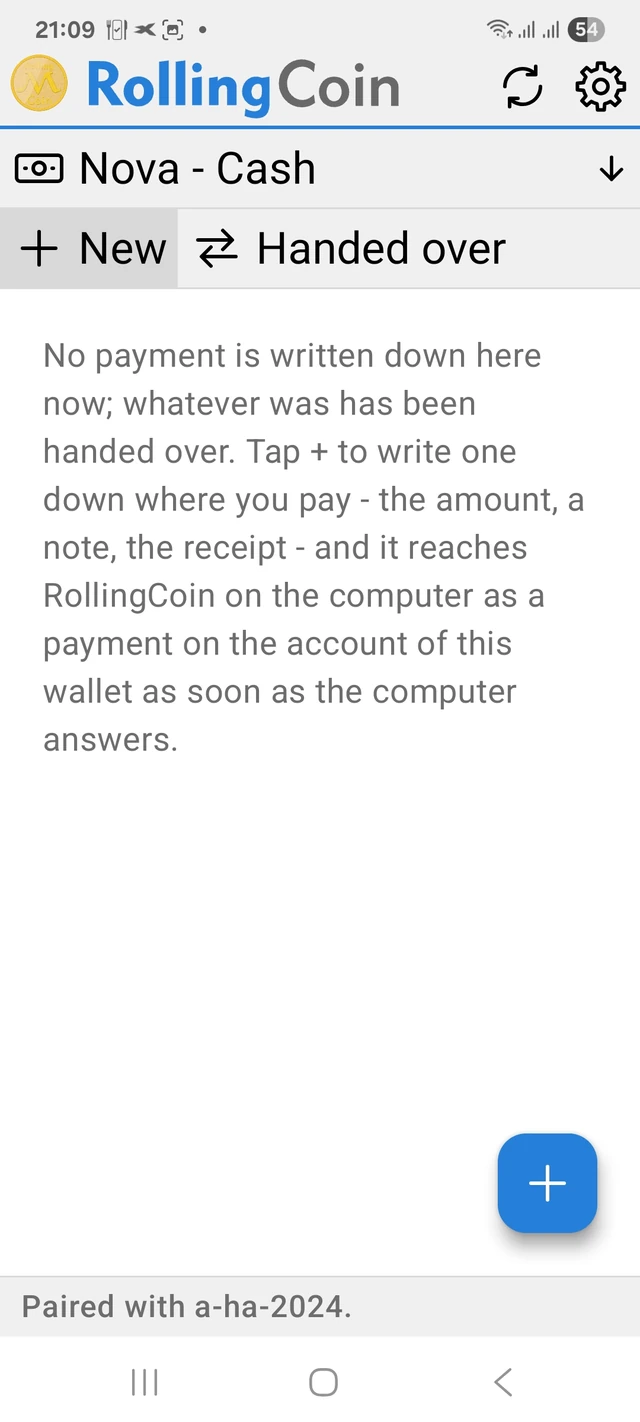
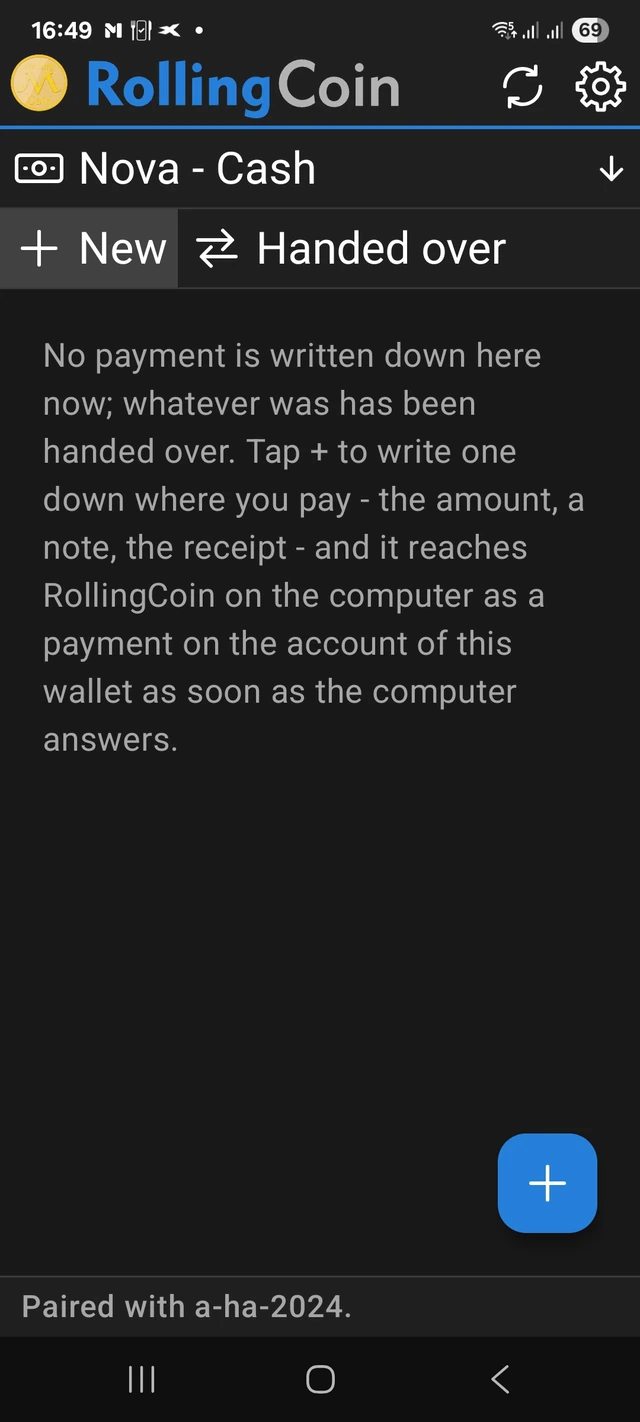
Cash slips through every budget, because nobody writes it down. The RollingCoin Wallet companion app for Android fixes that: pay, open the app, take a picture. The amount is read from the receipt, the shop is remembered by its place, and the payment waits on the phone until it can reach RollingCoin on your computer.

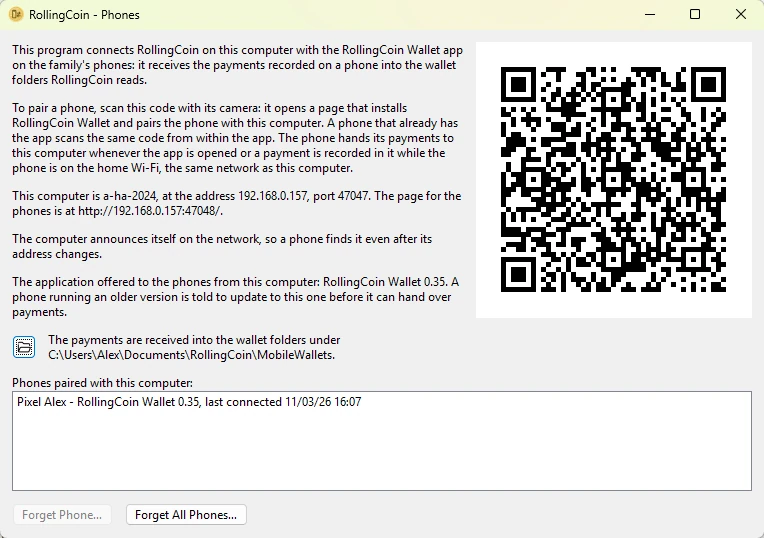
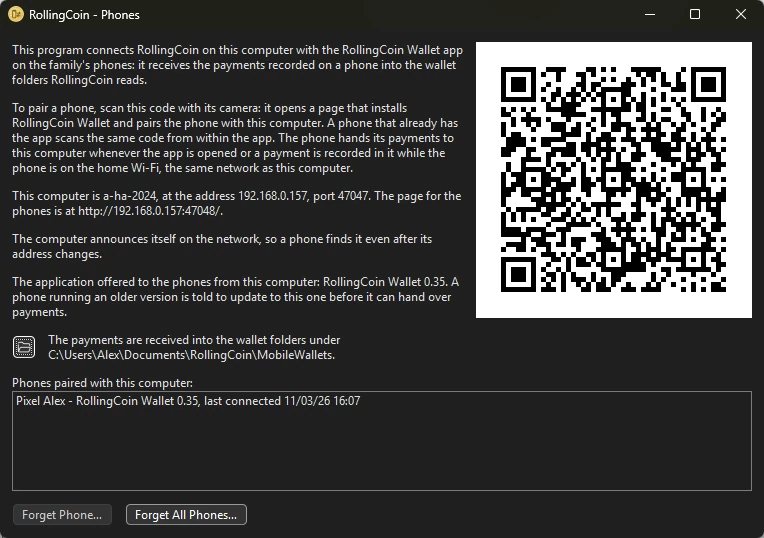
The phone and the computer talk over your own network: the phone hands its payments over whenever it is on your home Wi-Fi, the same network as the computer. There is no server in between and no account to create: the phone is paired with the computer once, by scanning a code.
The RollingCoin Wallet app on a phone

And there is more

History without limits

A shop you stopped going to, a supplier that no longer exists, a closed account: nothing makes you delete them. Every payment ever made to them stays, as far back as your records go, and a report over any period still finds it.

Several agendas

Keep one for the household, another for a business or a rental flat - each with its own users, password and backups.

From X5 in one step

An agenda of RollingCoin X5 opens in X6 through the built-in converter, and you carry on where you left off.

Export whenever you like

The whole agenda as JSON, the transactions as CSV for a spreadsheet: your data remains yours even if you stop using the program.

Overviews of your own

Tables you put together yourself over the same transactions: the columns of amounts you want, kept with the agenda.

Seven languages

English, Czech, German, Spanish, French, Italian and Slovak - as your Windows is set, or as you choose.

Start with the statement you already have

Install RollingCoin, create an agenda and import last month's statement - or try the demo agenda first and look around. Ten minutes later you know more about your spending than your bank ever told you.

Get it from the Microsoft Store

Free. Windows 10 and 11. No account, no subscription, no ads.